
Lab reports, results and AI in one app
Your health,
finally clear.
Take a photo of a lab report and the results join your health history. Follow them over time, understand them with Welli AI and see your doctor with the right questions.
Coming soon to the App Store and Google Play. The app is in Italian for now.
- Blood glucose
- Cholesterol
- Haemoglobin
- TSH
- Vitamin D
- Triglycerides
- Ferritin
- Creatinine
- Blood pressure
- Heart rate
- Oxygen saturation
- Weight
- Steps
- Sleep
1 phototo upload a lab report
7 metricsfrom Apple Health and Health Connect
6 adultsat most in each family
3 typesof sharing, one by one
WELLi offers information and tools to stay organised: it does not diagnose and does not replace your doctor's advice.1
Lab reports
A lab report?
Just take a photo.
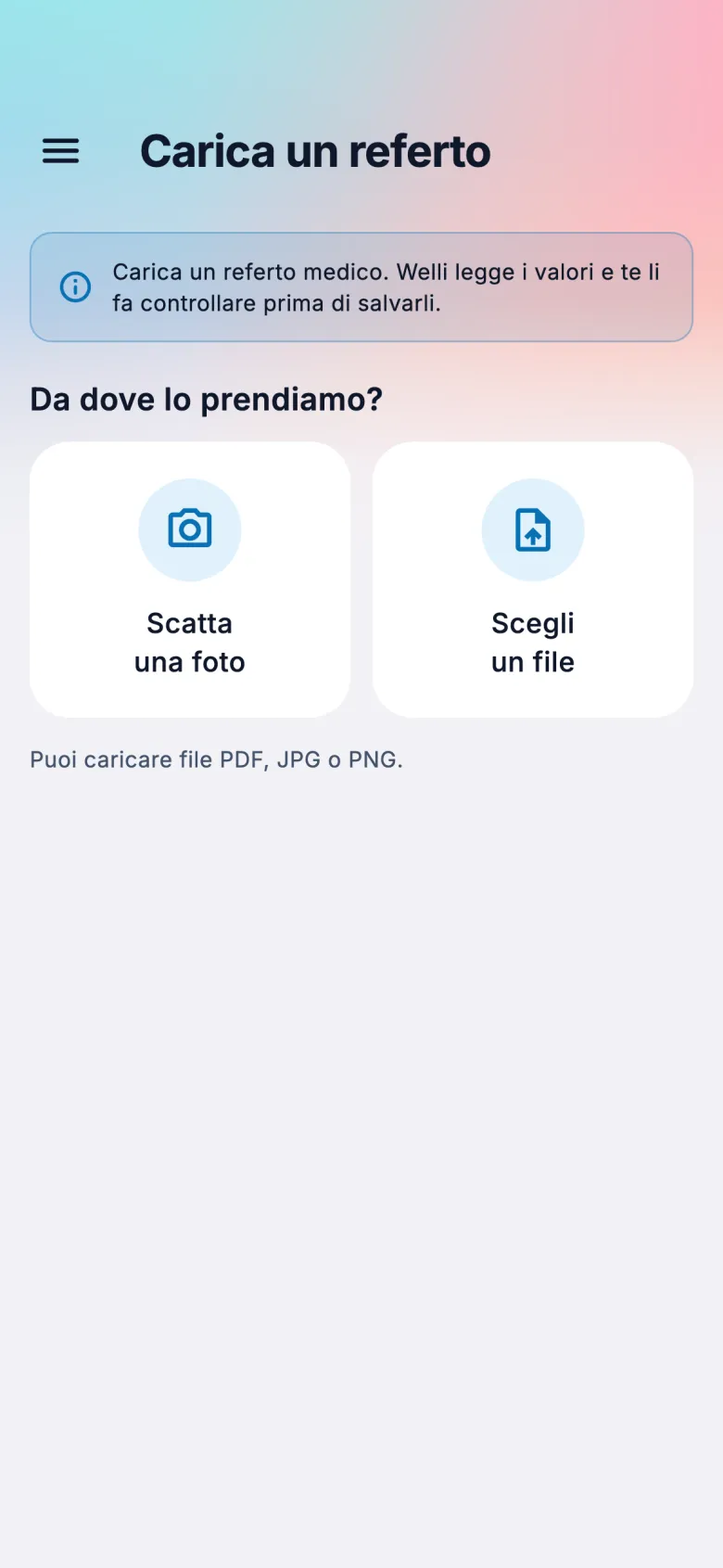
Frame the page or pick the PDF. WELLi recognises tests, results and units, then lets you check them before saving. If a result can't be read, it doesn't make one up.2
- Photo or PDF, as you prefer
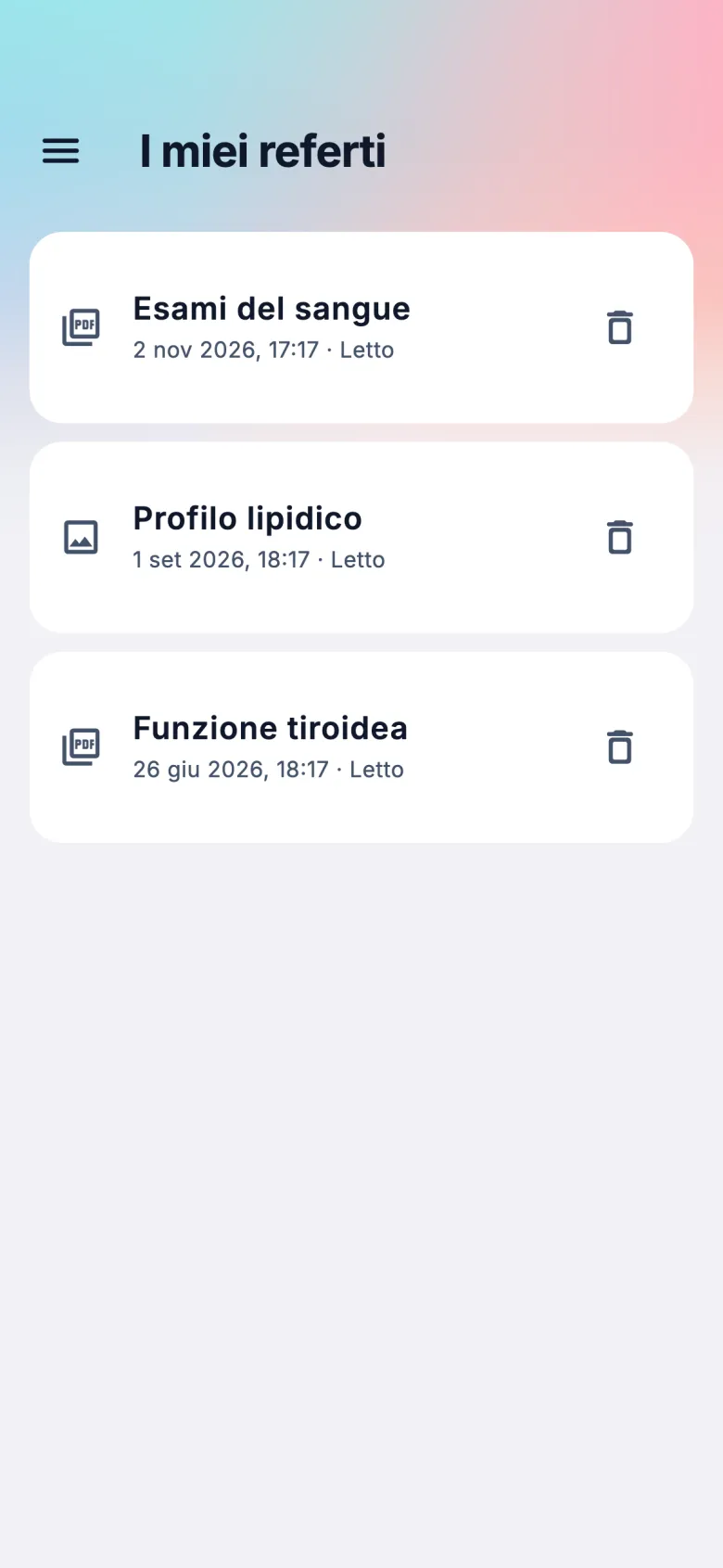
- A notification when your results are ready
- The original file always stays with you
- You can delete a report whenever you want
Results
A number says little.
Its history says a lot.
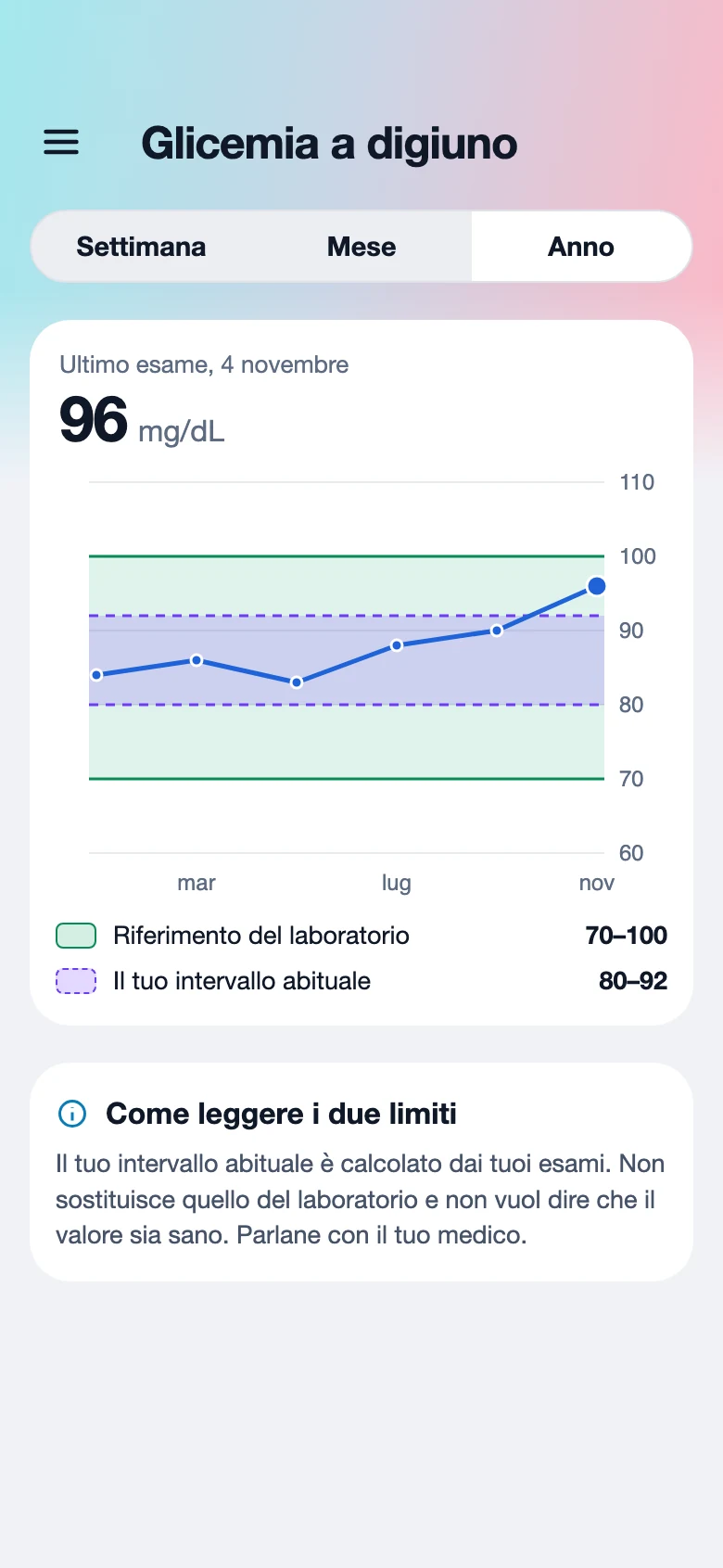
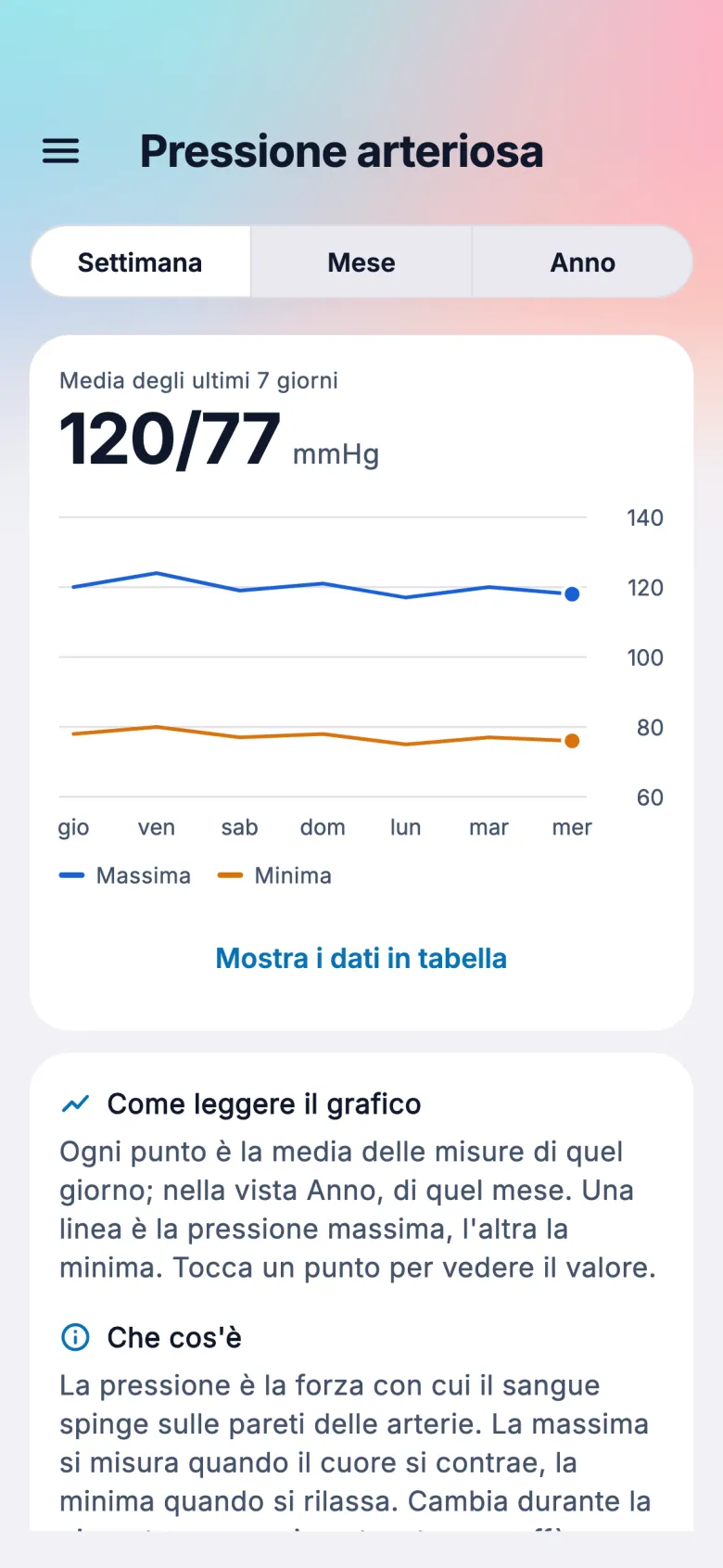
Every test and every measurement joins the same history, with charts you understand at a glance and an explanation of what you're looking at.
- Week, month and year
- Two coloured limits: the laboratory reference and your usual range
- Apple Health and Health Connect, without duplicates
- When there's no reference, the result stays “not assessed”
Welli AI
Your questions.
In plain words.
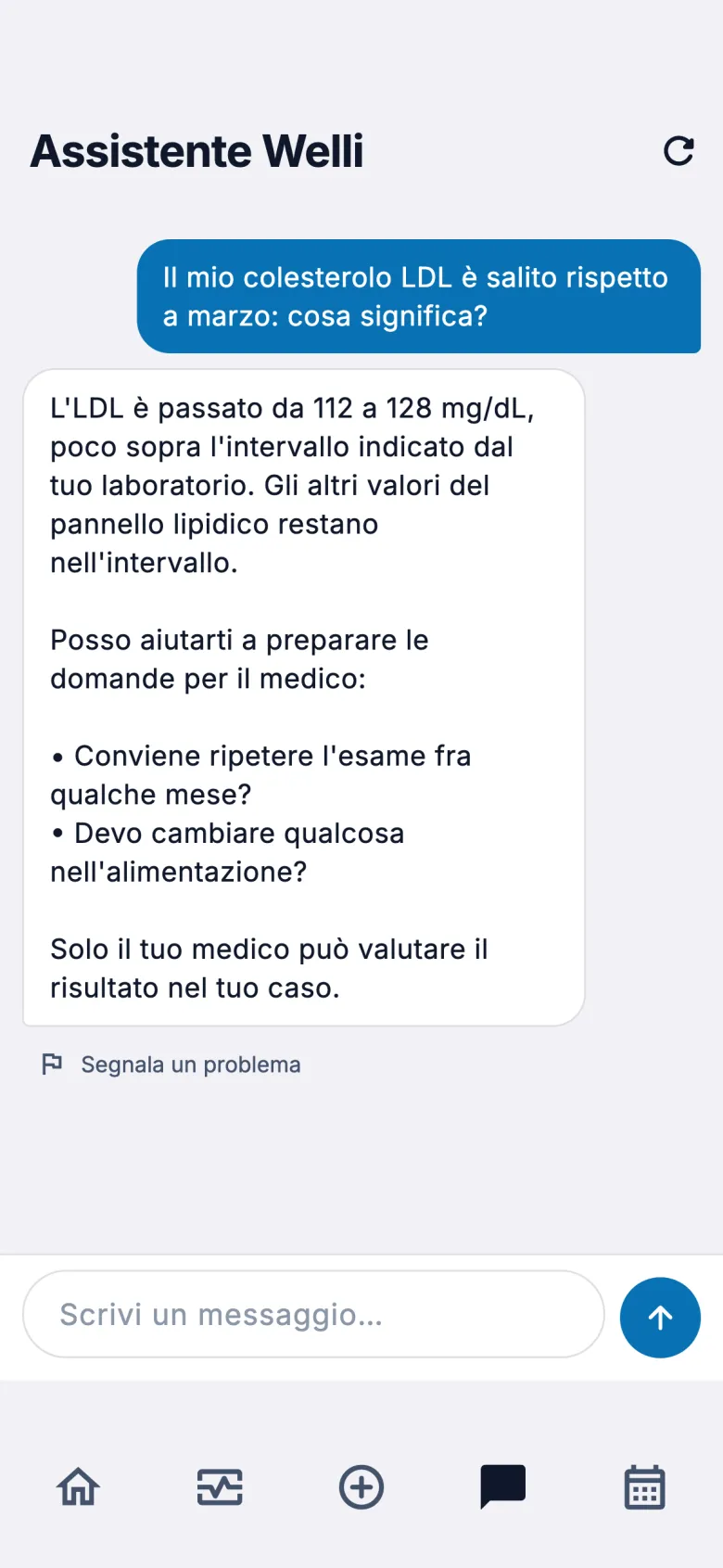
Get a test explained, ask what has changed since last time and prepare questions for your doctor. AI features only turn on with your consent.
- Ask: tests and medical terms explained clearly
- Analyse: summary, trends and points to watch
- Who to see: the most suitable speciality
- It does not diagnose or recommend medicines

Appointments
The right specialist.
Without a round of phone calls.
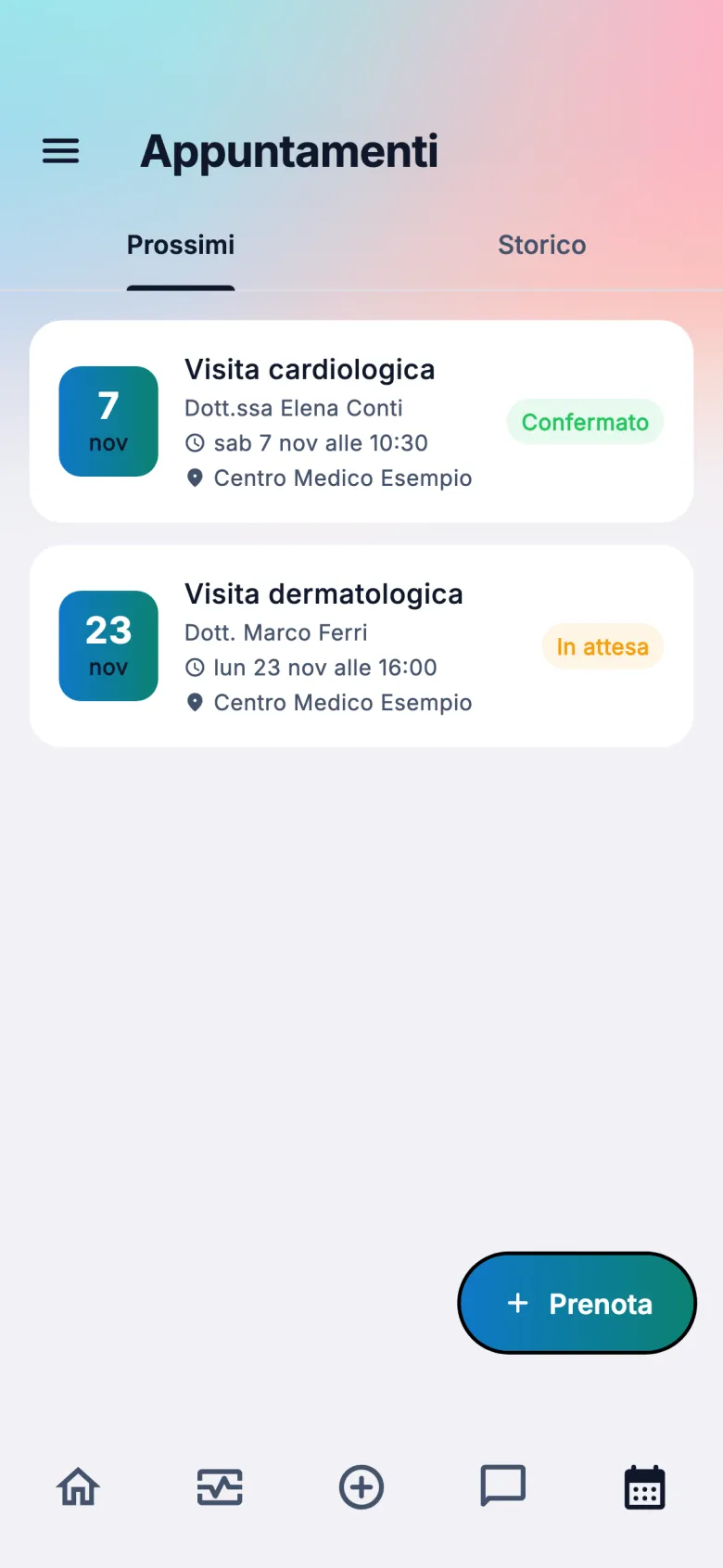
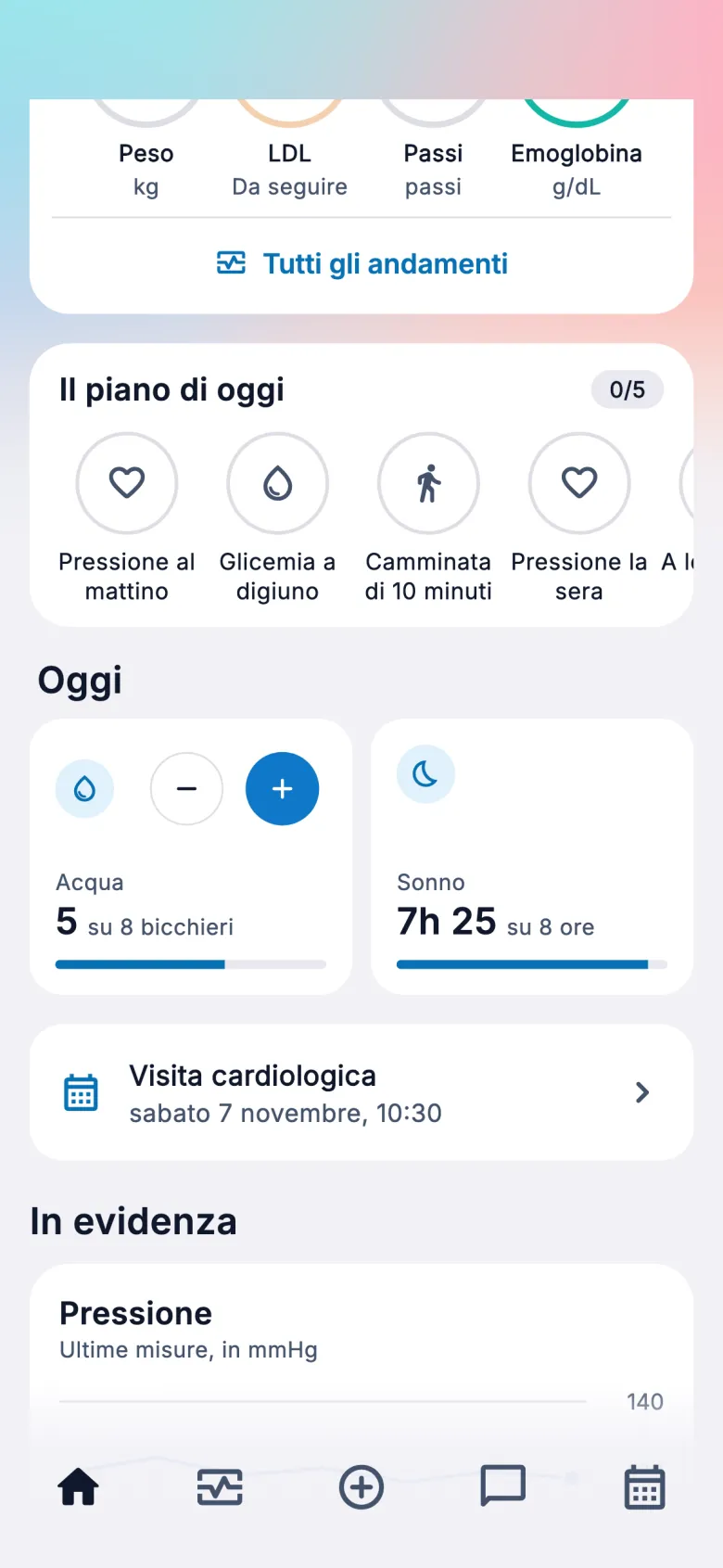
Choose the speciality, see what's available and confirm. Your next appointment waits on the home screen, next to today's plan.
- Among our partner professionals
- Book in a few steps
- Upcoming appointments and history
- Today's plan: measurements, water and sleep
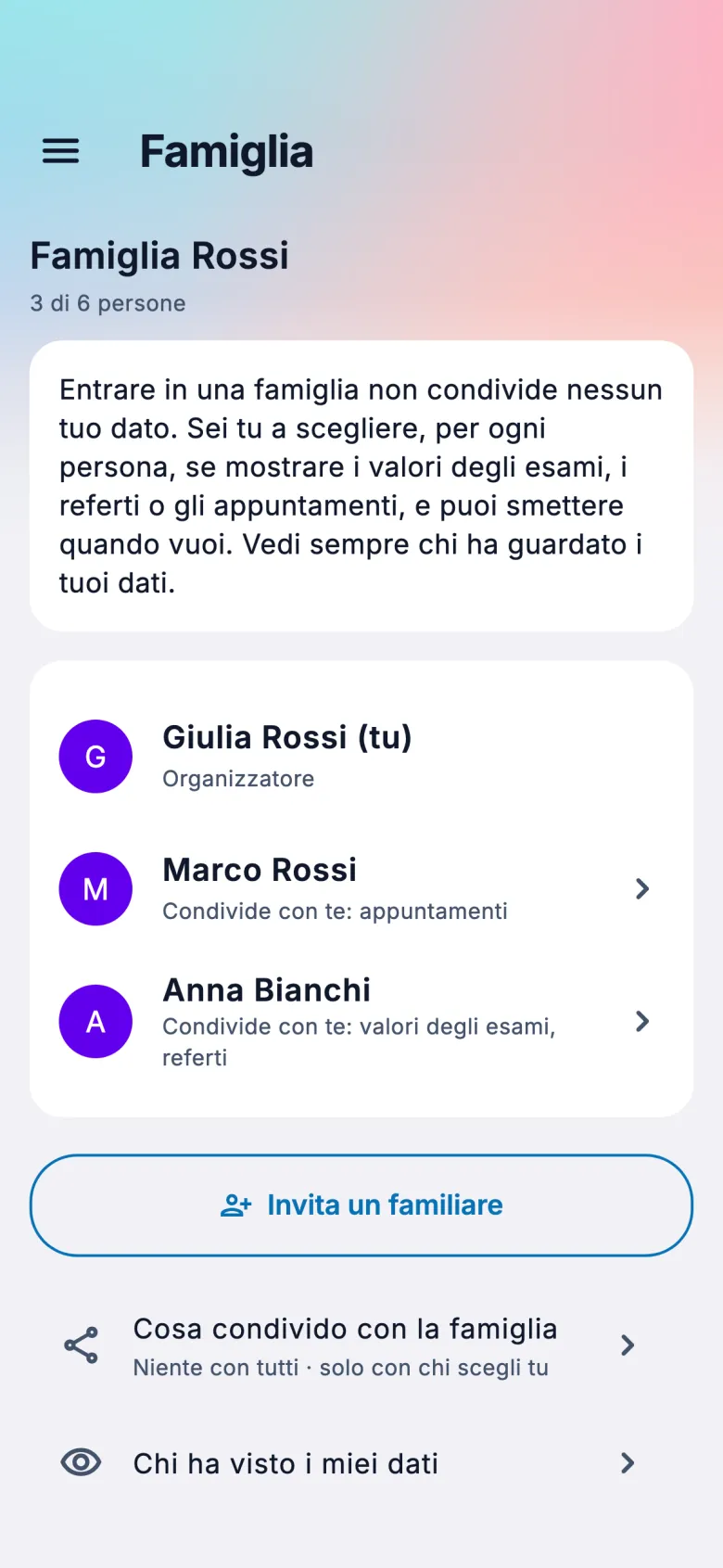
Family
Close to the people you love.
Knowing who sees what.
Create a family and invite up to six adults in total. Joining doesn't share your data: sharing is turned on per person and per category, by you or by the family organiser, and in that case you get a notification and an email.
- Results, lab reports and appointments, kept separate
- Change it whenever you want
- A log of who has seen the data
- A notification for every change

Design
Beautiful by day.
Even better at night.
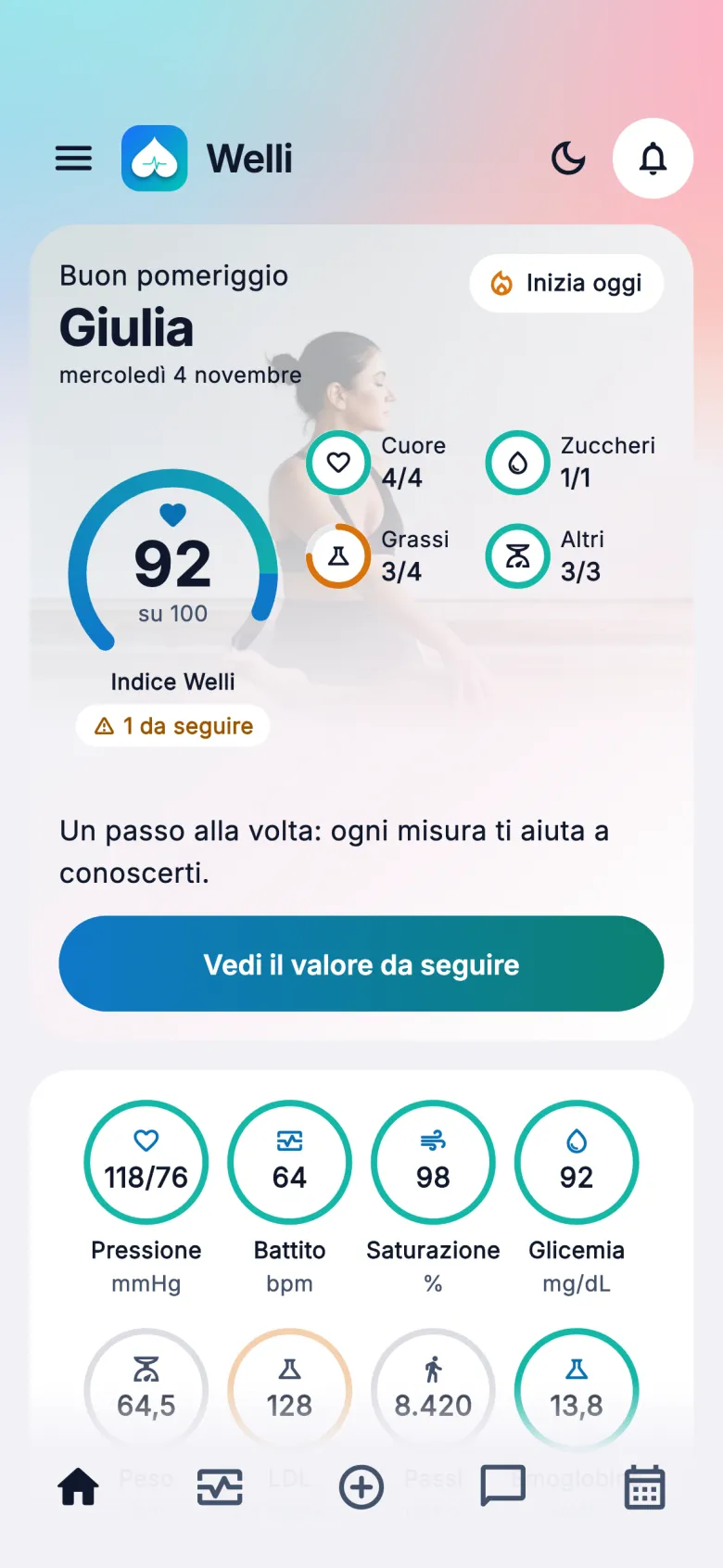
Light or dark theme, with one tap. A home screen that shows at a glance how you're doing and what to do today.
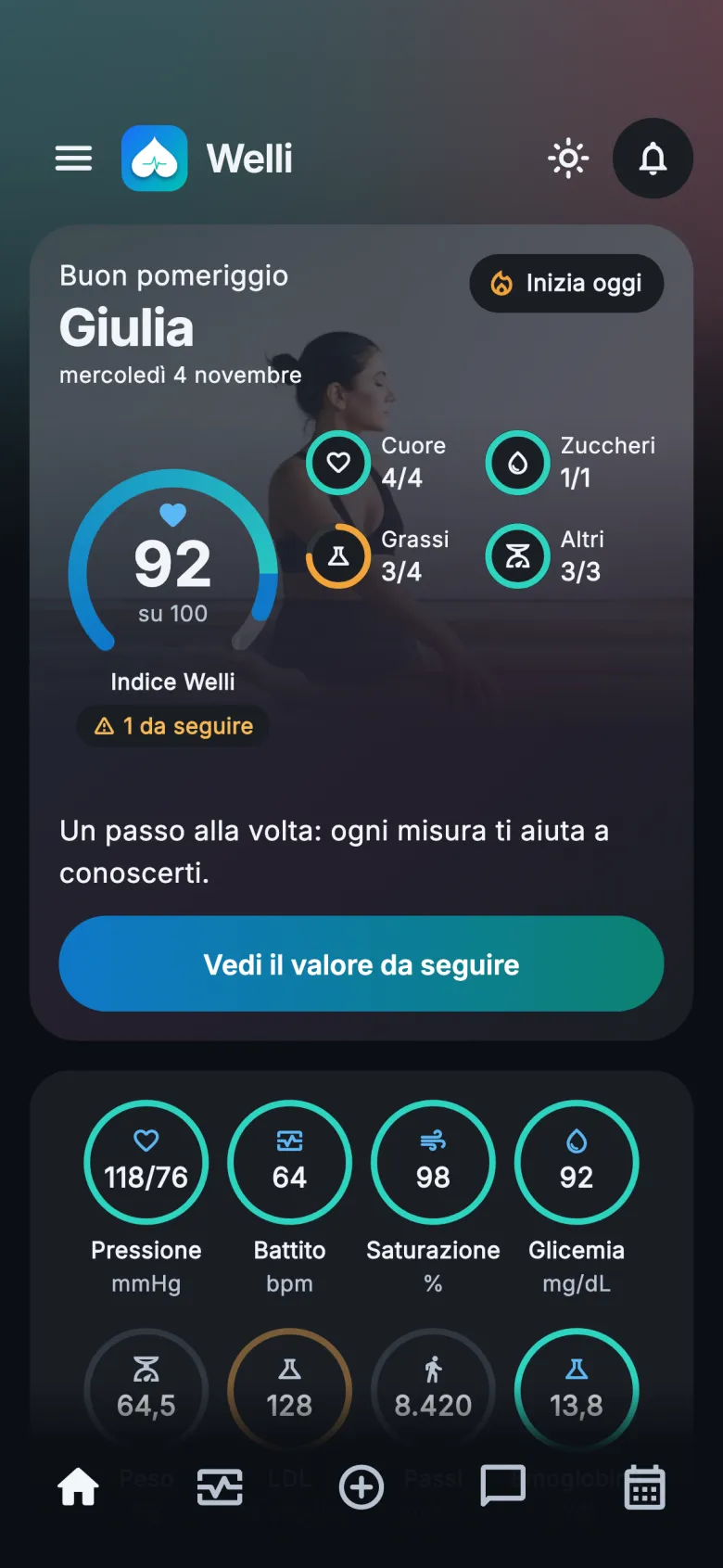
Inside the app.
Real WELLi screens, in Italian, with the data of an invented person.
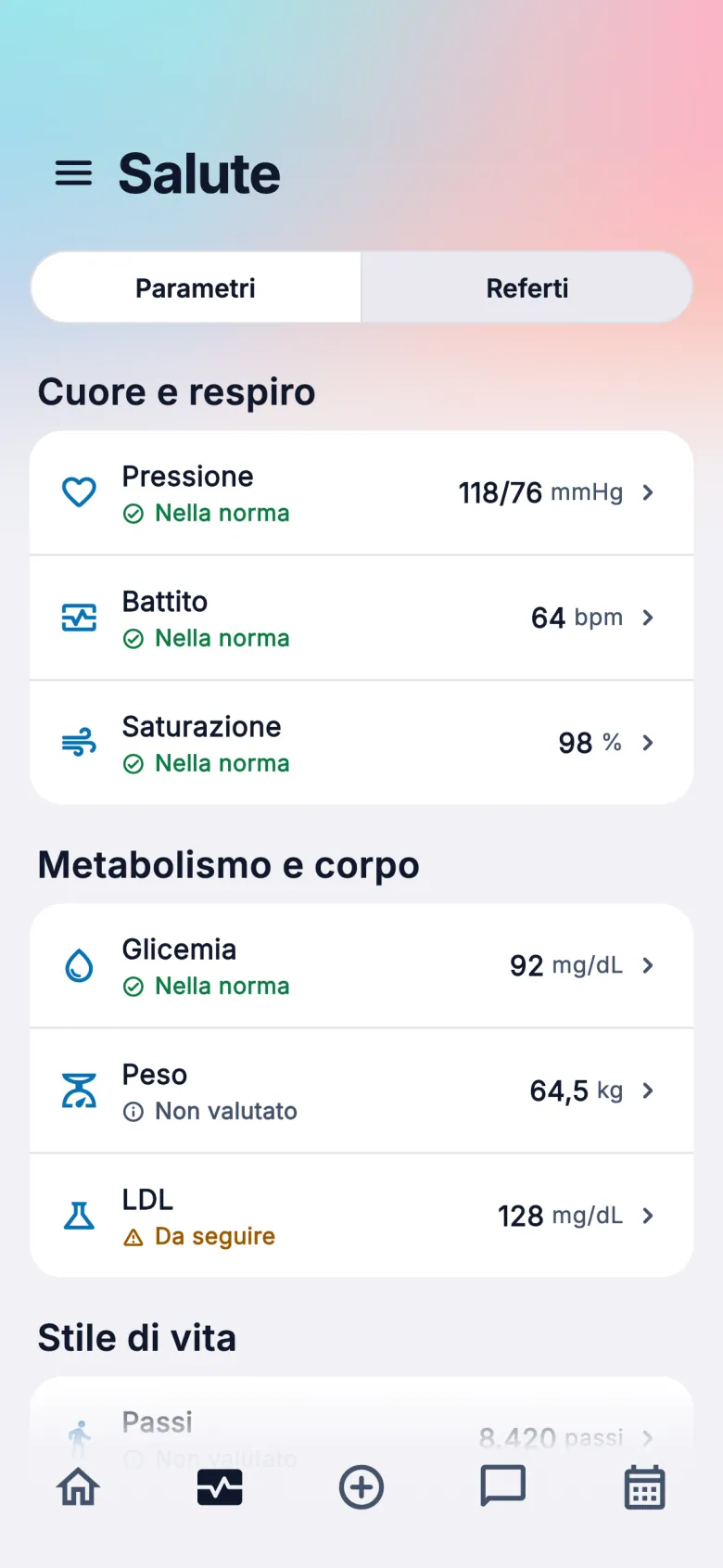
Health
Trends
Upload a lab report
My lab reports
Welli AI
Appointments
Family
Dark theme
Privacy
It's your data.
Right where you can see it.
Health data is among the most sensitive there is. That's why in WELLi AI only turns on with your consent, if the organiser changes your family sharing you get a notification and an email, and you can delete your data.
Consent for AI
You manage the use of AI from Profile › Privacy and consents. Family sharing is managed separately.
Access log
See which family members have viewed your shared data, and when.
Protected access
HTTPS connections, passwords never stored in clear text and optional two-step verification.
You can delete
You can delete a single lab report or your whole account directly from the app.
Why WELLi.
TodayWith WELLi
Paper reports, scattered across drawers and emails All in one app, with the results already read
One app for heart rate, one for steps, none for lab tests Lab tests and device measurements on the same timeline
Difficult terms searched for online Simple explanations, starting from your data
You're not sure which specialist to see A suggestion and the booking in the same place
Results forwarded to family members in chats Sharing by category, changeable, with an access log
Get started in three steps.
Upload your first lab report
From Health, tap “+”, take a photo or pick the PDF. We'll let you know when your results are ready.
Connect your sources
From your Profile, turn on Apple Health on iPhone or Health Connect on Android and choose what to import.
Create your family
If you want, invite your loved ones and manage what you share with each of them.
Frequently asked questions.
Does WELLi diagnose?
No. WELLi and Welli AI help you organise and understand information, but they don't diagnose or recommend medicines. For any health problem, talk to your doctor.
What if it's an emergency?
WELLi is not an emergency service. If you're in immediate danger, call 112 or 118 in Italy, or your local emergency number.
Are lab reports always read correctly?
We can't guarantee it in every case: photo quality and layout matter. When a result can't be read, WELLi prefers not to show it. The original report, which you can reopen, always remains the reference.
Which lab reports can I upload?
Laboratory reports in Italian, as a PDF or an image. You can take a photo of them or pick them from your gallery.
Can my family members see my data?
Only if sharing is on, person by person and by category: results, lab reports, appointments. You can turn it on, but so can the family organiser, including towards themselves, without your prior confirmation: in that case you immediately get a notification and an email, and you can change it in Family. Leaving the family revokes sharing. Family is for adults only.
How does data work with AI?
AI features can only be used after you give consent, which you can withdraw from Profile › Privacy and consents. Every answer is marked as AI-generated.
Do I need a smartwatch?
No. Lab reports, results, bookings, family and Welli AI work with just a smartphone. A device connected to Apple Health or Health Connect adds more measurements.
Can I delete everything?
Yes. You can delete individual lab reports and request account deletion directly from the app.
Are you a doctor or a healthcare facility?
We're opening WELLi to partner professionals and facilities. Let's talk.
Your health,
finally clear.
WELLi is coming soon to the App Store and Google Play, in Italian for now. Want to know more? Write to us.
App StoreComing soonGoogle PlayComing soon
support@wellilab.it